N
Nicole Bixler
Guest
- Thread Author
- #1
Quick answer:
Student web filtering tools protect learners by blocking harmful, inappropriate and distracting content in K-12. Pairing an AI web filter with classroom monitoring software like Hāpara gives teachers real-time visibility into student browsing, so screen time stays safe and focused on learning.
While there is pushback against screen time, many K-12 educators, school principals and technology leaders agree that digital learning still has a place in classrooms. Whether a school has invested in a blended learning program, digital citizenship, differentiation or preparing students for life after K-12, there are valid reasons for keeping classroom technology around. What is important, though, is ensuring that time spent with screens is safe for learners and focused on class activities.
To do that, schools need student web filtering tools and classroom monitoring software in place. In this blog post, we’ll explore how these tools work in K-12, why districts need both and how they help schools keep screen time safe and focused on learning.
How do student web filtering tools improve online safety?
Student web filtering tools create a safe online learning environment by blocking harmful, inappropriate or distracting content. When a student or staff member visits a website on a school network, the web filter uses the district policy to evaluate whether it should be blocked or allowed. Across classrooms, grade levels, and school-managed devices, the web filter ensures online safety for students.
What is the best student web filtering tool for districts?
There are different types of web filters available to K-12 districts, ranging from traditional filters to advanced. Traditional web filters block websites based on lists that a technology administrator inputs, including blocked and allowed categories, keywords and URLs. These get the job done, but they require manual updating of lists, especially since new websites constantly pop up.
Learners are also often a step ahead and find ways to circumnavigate traditional web filters, such as using VPNs, proxies, personal hot spots, browser extensions and games hidden on “educational” sites. They end up sharing these workarounds with friends or online, making it tougher for districts to keep online browsing safe.
AI web filtering doesn’t require all of that manual work, and it doesn’t just block websites and URLs. Instead, it can analyze the content on the web page itself, including text, images and video. It understands context, so it doesn’t overblock content that could be helpful in lessons. Advanced web filters also constantly learn and improve their filtering on their own, so technology admins don’t have to constantly add URLs to blocked lists.
What does classroom monitoring add to district web filtering?
A web filter is an important layer of protection for any school district, but teachers also need to know what learners are doing on their school devices. Classroom monitoring, or classroom management software, gives teachers a view in real time of student browsing during class. With this visibility, teachers can ensure that learners are on task, engaged with the lesson and browsing safely.
Classroom monitoring also allows teachers to guide learning, creating safe and focused online boundaries for learners. It also helps teachers reinforce digital citizenship skills that are essential for learners to practice and build so they can apply those skills in their daily lives.
Why do schools need both classroom monitoring and AI web filtering?
AI web filters are powerful, but school districts also need classroom monitoring to create a focused, distraction-free learning environment. Web filters can block AI tools like ChatGPT, Claude or Gemini in classrooms, but some AI tools are built into sites that learners are allowed to use. In these cases, teachers need a way to monitor what learners are doing in their browsers, especially during an assessment.
A classroom monitoring tool like Hāpara Classroom Management allows teachers to create a guided browsing session that locks learners onto a specific website for safe browsing free from AI.
In other cases, a school district may want to keep the option of using AI tools in the classroom open and up to the teacher. For example, there are cases when AI can help personalize learning or differentiate instruction for groups of learners. This is the kind of instructional situation where it is important to pair classroom monitoring with AI web filtering. Teachers can guide learning in the way that works best for their students and keep an eye on what they’re doing in their browsers. At the same time, administrators and parents know that learners are protected overall with the web filter.
Another reason schools need an AI web filter and a classroom monitoring tool is because learners are savvy. For instance, learners hide resources and URLs inside Google Docs or Slides and share them around with other learners. When they have the Docs or Slides open, it looks like they’re on task with the class lesson.
David Bennett, Director of Technology at La Grange Independent School District, says, “Some of these Docs they’re sharing actually have pages, chapters, of how to get around your filter, how to get around this, how to unlock your Chromebook.”
The only classroom monitoring tool that gives teachers real-time visibility into student Google Drive files is Hāpara. From one dashboard, teachers can see recent files that learners are working in and hover their cursor over a file to preview it. They can even directly search for files with the classroom monitoring tool.
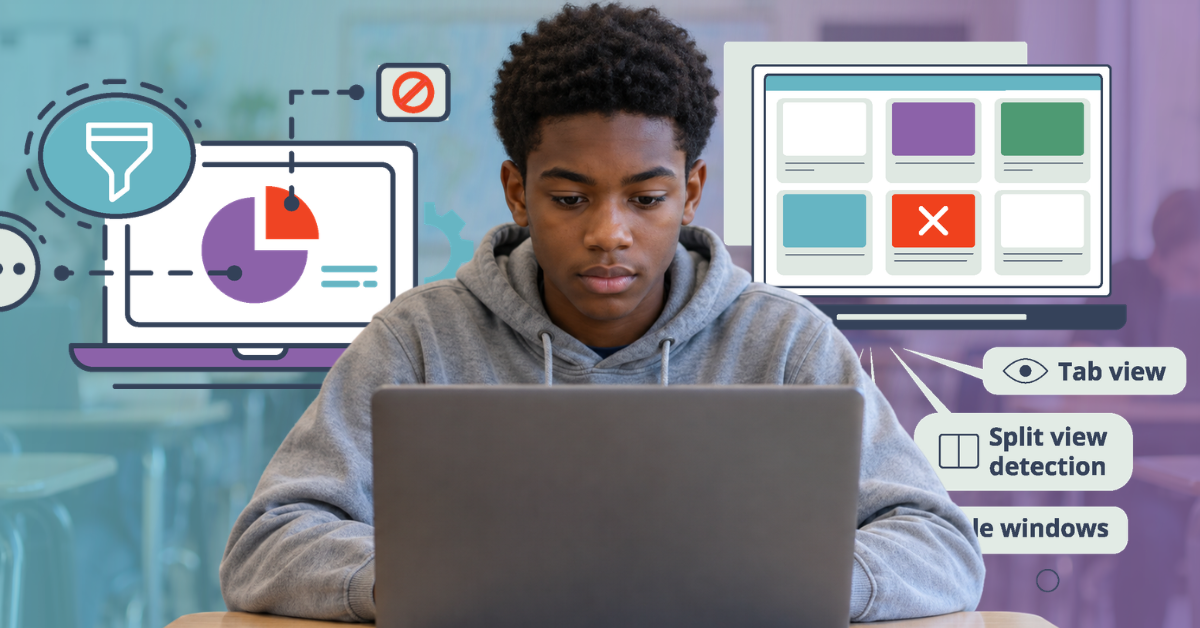
Another unique feature of Hāpara that adds to AI web filtering is the ability for teachers to see when learners use split view in Google Chrome. When learners do this, other classroom management tools don’t show the teacher that students are using split view. Hāpara, on the other hand, shows that learners are using this function, so teachers can then check in with the learner.
How do classroom management and web filtering help with screen time concerns?
Parents, school boards, state legislators and mayors are speaking out on screen time. There are many benefits to digital education tools, but everyone can get on board with ensuring that screen time is dedicated to instruction and learning.
A web filter ensures learners don’t see any harmful or inappropriate content during screen time, and it also keeps distracting websites like shopping or gaming sites blocked.
Hāpara’s classroom management solution also allows teachers to make every minute of screen time count. It helps teachers:
- Guide learners’ browsing and even differentiate browsing for groups based on learning needs
- Open resources directly onto learners’ devices or groups’ devices to ensure no time is wasted
- Provide proof of learning during screen time with the Record Student Browsing feature
Which tools combine classroom monitoring and AI web filtering?
Hāpara offers a full suite of tools, including classroom monitoring for Chrome and Edge, an AI web filter for online student safety, and a digital hall pass.
Educator Enrique Alquicira uses Hāpara for Microsoft Edge in Vancouver Public Schools. He says, “It is really easy to use and has a lot of great functions. One function that I like is that you can see all the screens at once and you can delete tabs to help students stay on task.”
Erica Peters is an Instructional Coach in Pasadena Unified School District, where they use Hāpara for Google Chrome. She says, “It’s helped streamline a lot of pieces. We can get a real quick view of who’s working and who’s not. And, I think for teachers, it streamlines [their workflows] and makes it a little easier to do things than before.”
Jonathan Zabel, a teacher in Appleton Area School District, uses Hāpara’s dynamic grouping feature for classroom monitoring and differentiation. He says. “One of the things that I love is the function of being able to view different groups of students.”
James Reed, Technology Integration Specialist at Holdrege Public Schools, says, “Hāpara’s been the best product that we’ve used here at Holdrege. The teachers love it.”
The five biggest challenges schools and districts are facing right now
Learn how to respond to concerns about classroom screen time, ways to manage student AI use during instruction and assessments and more!
Download our free e-book
The post Classroom monitoring and web filtering in K-12 appeared first on Hāpara.